
Hyper Software ne hamare business ko online ek nayi pehchan di. Website professional, fast aur SEO optimized hai. Website Design & Development ke liye best company.

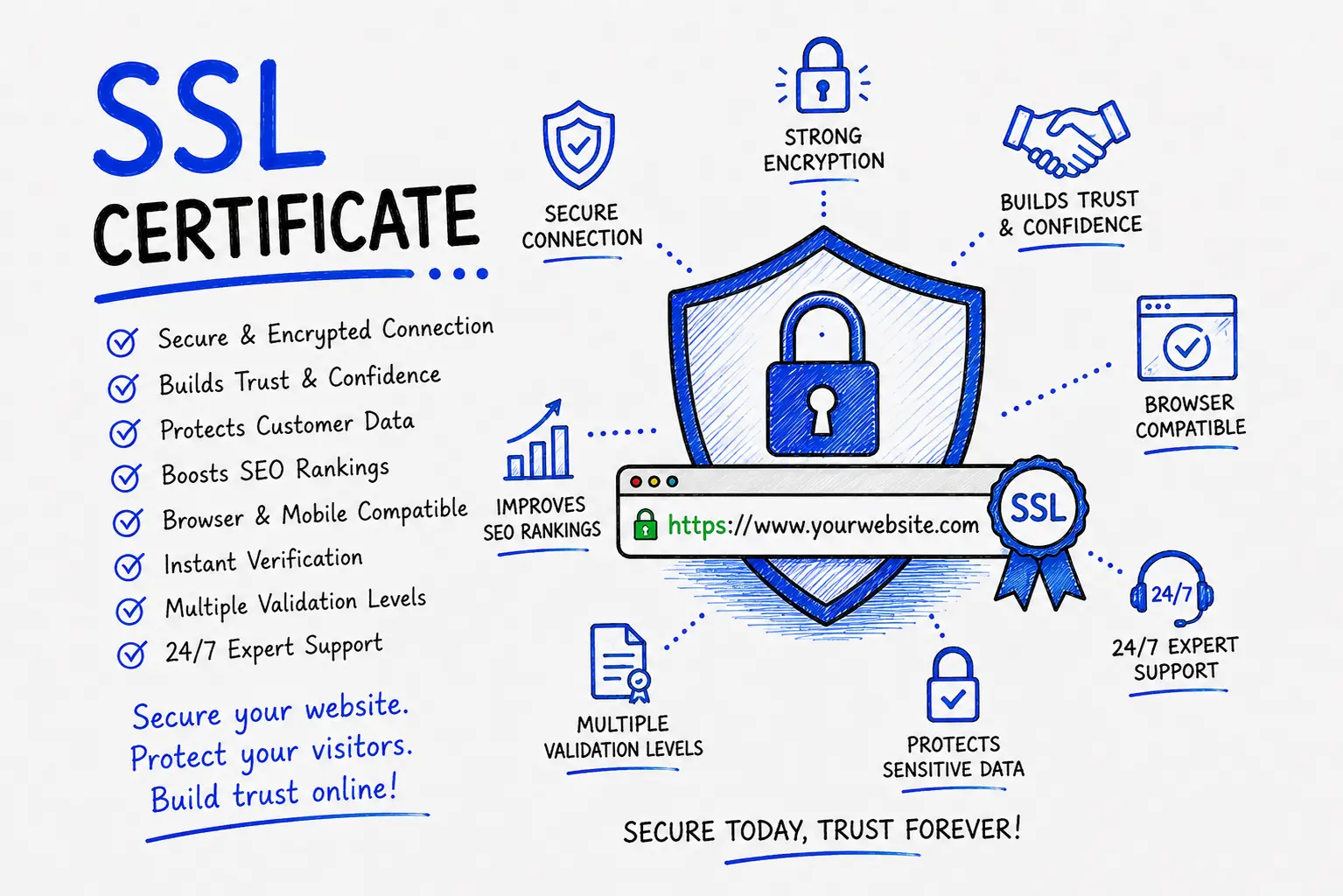
An SSL certificate is a small data file installed on your web hosting server that encrypts the connection between your website and its visitors, turning HTTP into HTTPS. It proves your site's identity, protects data like passwords and card numbers from interception, and is now a baseline requirement for Google trust, browser security, and PCI compliance. If your website doesn't have one, Chrome and every major browser will label it "Not Secure" right in the address bar.
That single warning label can quietly kill your conversions. A visitor sees it, gets nervous, and leaves. This guide covers everything you actually need to know: what SSL is, the real differences between certificate types, honest 2026 pricing in India, how installation works, and a rule change that took effect in March 2026 that most guides online still haven't caught up with.
SSL stands for Secure Sockets Layer. In practice, when people say "SSL certificate" today, they usually mean a TLS (Transport Layer Security) certificate — TLS is the modern, more secure successor to SSL, but the industry never dropped the old name. You'll see both terms used interchangeably, and that's fine. What matters is what the certificate does.
Think of it like a sealed envelope instead of a postcard. Without SSL, data travels between a browser and a server as plain text — anyone intercepting it can read it, the way anyone can read a postcard in transit. With SSL, that same data gets locked inside an envelope only the intended recipient can open. Usernames, passwords, credit card numbers, contact forms — all of it stays private.
A certificate also does something browsers can verify: it proves the website is actually who it claims to be. That's why you see a padlock (or, in newer Chrome versions, a small "tune" icon) next to secure URLs.
Get Free Consultation Within Minutes
The technical process is called the SSL/TLS handshake, and it happens in a fraction of a second, every time someone loads your site:
1. A visitor's browser connects to your website and requests a secure session.
2. Your server responds with its SSL certificate, which contains a public key.
3. The browser checks that the certificate is valid, unexpired, and issued by a trusted Certificate Authority (CA).
4. Once verified, the browser generates a session key and encrypts it using your server's public key.
5. Your server decrypts that session key using its matching private key.
6. Both sides now share a secret key, and every bit of data exchanged from that point on is encrypted.
You don't need to memorize this. What matters is knowing that two keys are involved — a public one anyone can see, and a private one that stays locked away on your server. If that private key is ever exposed, the certificate is compromised, which is one reason certificate authorities and browsers keep pushing validity periods shorter (more on that below).
SSL and TLS aren't quite the same protocol, even though people use the names interchangeably. TLS is the newer, more secure version — SSL 3.0 was officially retired years ago due to known vulnerabilities. Every certificate issued today technically runs on TLS, not old SSL. But "SSL certificate" stuck as the everyday term, the same way people still say "dial a number" long after rotary phones disappeared. For this guide, and in almost every real conversation you'll have with a hosting provider or developer, "SSL certificate" and "TLS certificate" mean the same thing.
This is where most articles get confusing, so let's keep it simple. All three types below give you the exact same strength of encryption. The difference is how much the Certificate Authority checks before issuing it — and how much trust that check signals to your visitors.
Domain Validation (DV) The CA only confirms you control the domain, usually through an email or a DNS record. It's issued within minutes, costs the least, and needs no business paperwork. Good for blogs, portfolios, and internal tools. Not ideal if you're collecting payments.
Organization Validation (OV) The CA manually checks your business details — legal name, address, domain registration — alongside domain control. This usually takes one to three days. Your organization's verified name becomes part of the certificate data. Good for commercial sites that want a visible trust signal without the cost of EV.
Extended Validation (EV) The most thorough check available. The CA verifies legal existence, physical address, and operational status, sometimes with a phone call to your registered number. It's the slowest and most expensive option, and it's mainly used by banks, insurance companies, and large e-commerce platforms that handle sensitive financial data at scale.
| Type | Verification Level | TypicalIssue Time | Best For |
| DV | Domain ownership only | Minutes |
Blogs, small business sites, internal tools |
| OV | Domain + business identity | 1–3 days |
Commercial websites, service businesses |
| EV | Full legal & operational check | 3–7+ days |
Banks, e-commerce website development, high-trust platforms |
Hyper Software ne hamare business ko online ek nayi pehchan di. Website professional, fast aur SEO optimized hai. Website Design & Development ke liye best company.

Separate from validation level, certificates also differ by how many domains or subdomains they cover:
A single-location business website almost always needs Single Domain. Agencies or businesses running several subdomains (app, blog, shop, portal) should look at Wildcard instead of buying separate certificates for each one — it's usually cheaper and far easier to manage.
Most SSL guides you'll find online still say certificates last "one year" or "13 months." That information is out of date, and it matters.
As of March 15, 2026, the CA/Browser Forum's Ballot SC-081v3 capped the maximum validity of all publicly trusted SSL/TLS certificates at 200 days. That timeline gets shorter on a set schedule: 100 days starting March 2027, and 47 days by March 2029. Free certificates from Let's Encrypt were already on a 90-day cycle, so nothing changes there — but if you or your hosting provider were used to setting an SSL certificate and forgetting about it for a year, that habit no longer works safely.
Practically, this means:
If your current certificate is due for renewal and no one on your team is actively tracking the new shorter cycle, that's the first thing worth fixing.
Any of these should be treated as urgent. Every day a checkout page shows a security warning is a day of lost sales, not just a technical inconvenience.
Pricing depends entirely on validation level and domain coverage. Here's a realistic 2026 range for the Indian market:
| Certificate Type | Approximate Price (per year) |
| DV (Domain Validation) | ₹320 – ₹1,400 |
| OV (Organization Validation) | ₹1,700 – ₹1,08,000+ |
| EV (Extended Validation) | ₹7,500 – ₹2,90,000+ |
| Wildcard SSL | ₹3,200 – ₹11,000+ |
| Free SSL (Let's Encrypt) | ₹0 (renews every 90 days) |
Prices vary by Certificate Authority brand, reseller, and whether you buy multi-year plans (which usually lower the per-year cost). Some hosting providers, like Hostinger and Cloudflare, bundle a free basic SSL certificate with hosting plans — worth checking before you pay for one separately.
(These figures are current market ranges as of 2026 based on major Indian SSL resellers. Always confirm exact pricing against your chosen provider's live rate card before quoting a client.)
Free certificates like Let's Encrypt use the same encryption strength as paid ones — the "free" part doesn't mean weaker security. The trade-off is elsewhere:
| Factor | Free SSL | Paid SSL |
| Encryption strength | Same as paid | Same as free |
| Validity period | 90 days, auto-renewing | Up to 200 days (post-March 2026 rule) |
| Business identity shown | No | Yes (OV/EV only) |
| Warranty/liability coverage | None |
Often included (up to $1.75M with some CAs) |
| Support | Community/self-managed | Direct CA/reseller support |
| Best for |
Blogs, portfolios, internal tools |
E-commerce, finance, healthcare, client- facing business sites |
A small personal blog has no real reason to pay for SSL. A business collecting customer information, running an online store, or handling any kind of payment should lean toward at least OV, both for the identity verification and the support that comes with it.
1. Choose your certificate type based on validation level and domain coverage needs.
2. Generate a CSR (Certificate Signing Request) from your server or hosting control panel — this contains your domain and organization details.
3. Submit the CSR to your Certificate Authority and complete the validation process (email, DNS record, or business document check depending on type).
4. Receive the issued certificate files from the CA, usually including the certificate itself and an intermediate chain file.
5. Install the certificate on your server through your hosting control panel (cPanel, Plesk) or manually via server configuration.
6. Force HTTPS redirects so every HTTP request automatically routes to HTTPS.
7. Test the installation using a tool like SSL Labs' server test to confirm there are no configuration errors or mixed content issues.
8. Set a renewal reminder — or better, enable auto-renewal, especially important now that validity periods are shrinking.
Cost of DIY: Just the certificate price itself (₹0–₹1,400/year for basic DV), plus your own time.
Cost of hiring: Varies by provider and scope, but typically covers the certificate cost plus a one-time setup/configuration fee, or is bundled into a broader website maintenance plan. Ask for exact numbers based on your specific setup — a single WordPress site costs far less to secure than a multi-domain e-commerce platform.
An SSL certificate is a digital file that encrypts the connection between a website and its visitors, so any data exchanged — like passwords or card numbers — can't be read by anyone intercepting it. It's what turns HTTP into HTTPS.
Yes. Even a simple blog will show a "Not Secure" warning in Chrome without one, which affects visitor trust and can quietly hurt your search visibility. A basic free or low cost DV certificate is usually enough for a blog.
TLS is the modern, more secure successor to SSL. Every certificate issued today technically runs on TLS, but "SSL certificate" remains the common industry term for both.
Basic DV certificates start around ₹320–₹1,400 per year. OV certificates range from about ₹1,700 to over ₹1,00,000, and EV certificates start around ₹7,500 and can go well beyond ₹2,00,000 depending on the provider and features.
Encryption strength is identical. The difference is validation depth, warranty coverage, and support — free certificates like Let's Encrypt verify domain ownership only and renew every 90 days, with no business identity check.
Since March 15, 2026, the maximum validity for any publicly trusted SSL certificate is 200 days, down from the previous 398-day maximum. This will shorten further to 100 days by 2027 and 47 days by 2029.
Your website will show a "Your connection is not private" warning to every visitor, and most browsers will block or heavily discourage users from proceeding. Forms and checkout pages typically stop functioning properly until it's renewed.
Yes, for a basic single-domain DV certificate on a simple site with control panel access. For OV, EV, wildcard, or e-commerce setups, professional installation reduces the risk of configuration errors.
A wildcard certificate secures one domain plus unlimited first-level subdomains (like blog.yoursite.com or shop.yoursite.com) under a single certificate, instead of buying a separate one for each subdomain.
Yes, HTTPS has been a confirmed Google ranking signal since 2014. It's a minor factor on its own but affects related signals like bounce rate and crawl priority.
A home décor brand based in Jaipur came to us after their checkout page started showing "Not Secure" warnings overnight. Their previous developer had installed a basic DV certificate over a year earlier and never set up renewal tracking. It had quietly expired, and by the time the store owner noticed, they'd already lost several days of checkout traffic — customers were abandoning carts the moment the warning appeared.
We audited the setup, found the expired certificate along with a mixed content issue on their product image URLs, and moved them to an Organization Validation certificate with auto-renewal enabled through their hosting panel. We also fixed the hardcoded HTTP links in their theme that were triggering the mixed content warnings. The whole fix, from audit to a fully secured, warning-free checkout, took under two days. Their cart abandonment rate on the checkout page dropped back to normal within the first week, and they haven't had a renewal issue since — because it's no longer something they have to remember.
Yes, but with a realistic expectation. Google confirmed HTTPS as a ranking signal back in 2014, and it remains one today. It's not a heavyweight factor — strong content and backlinks still matter far more — but between two otherwise similar pages, the HTTPS one gets a slight edge. More importantly, HTTPS affects indirect SEO services factors: bounce rate (visitors leave faster when they see security warnings), referrer data (switching from HTTPS to HTTP loses referral information, showing up as "direct" traffic instead), and basic crawlability, since Google increasingly treats insecure pages as lower priority to index promptly. Migrating to HTTPS is not something that will single-handedly fix rankings, but running an HTTP site in 2026 is a real, avoidable disadvantage.
certificates? DV verifies only domain ownership and issues in minutes. OV additionally verifies business identity over one to three days. EV performs the most thorough legal and operational verification, taking the longest and costing the most.
Yes, with a Multi-Domain (SAN) certificate, which secures several unrelated domains under one certificate, or a wildcard certificate if you're covering subdomains of a single domain.
This usually means a mixed content issue — some page elements (images, scripts, or stylesheets) are still loading over HTTP even though the main page uses HTTPS — or that the intermediate certificate chain wasn't installed correctly.
Effectively yes. PCI DSS compliance, required for any site processing card payments, mandates SSL/TLS encryption, and most payment gateways will refuse to integrate without it.
Click the padlock or tune icon in your browser's address bar to view certificate details, or run your domain through a free tool like SSL Labs' server test for a full configuration report.
Have questions or need expert guidance? Our team is ready to help you with the right technology solutions for your business.