Custom CRM vs Zoho, Salesforce or HubSpot
|
Factor
|
Ready-made CRM (Zoho, Salesforce, HubSpot)
|
Custom CRM
|
|
Upfront cost
|
Low
|
Higher
|
|
Ongoing cost
|
Per user, per month, every year
|
Hosting and optional maintenance
|
|
Fit to your process
|
You adapt to the software
|
Software fits your process
|
|
Indian integrations (IndiaMART, JustDial, local SMS)
|
Through add-ons, sometimes paid
|
Built in
|
|
Data ownership
|
On vendor servers
|
On your server
|
|
Best for
|
Standard sales teams, quick start
|
Unique workflows, larger teams, long-term savings
|
Honest advice: if you have 3 to 5 users and a simple sales process, start with a ready-made CRM. If you have 15+ users, a unique process or heavy WhatsApp use, a custom CRM often costs less over three years and fits far better.
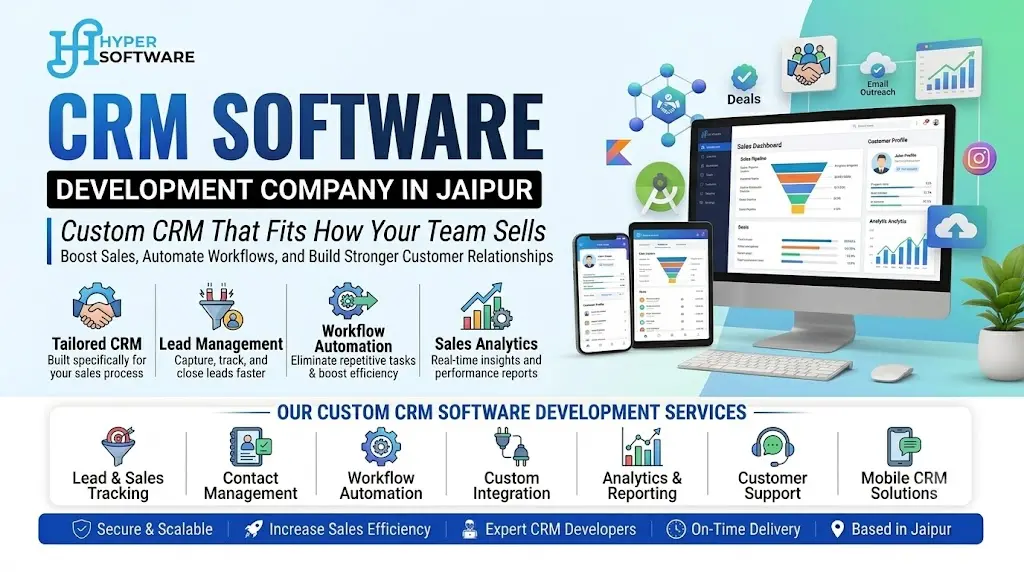
Hyper Software also offers a ready CRM management software that we can customize, which is a middle path.
Features We Build Into Business CRMs
Lead capture
- Auto-import from website forms, Facebook lead ads, IndiaMART, JustDial, 99acres and similar portals
- Manual entry and Excel import
- Duplicate lead detection by phone number
Follow-up and tasks
- Follow-up dates with reminders on mobile
- Overdue alerts to managers
- Call notes and next steps
CRM by Industry in Jaipur
|
Industry
|
What the CRM handles
|
|
Real estate
|
Site visit scheduling, broker leads, inventory by tower and floor, payment plans
|
|
Coaching institutes
|
Enquiry to admission, counsellor follow-ups, fee installments, batch allotment
|
|
Travel agencies
|
Package enquiries, itinerary quotes, booking status, traveller documents
|
|
Manufacturers and exporters
|
Dealer leads, sample requests, export enquiries, quotation versions
|
|
Clinics and hospitals
|
Patient enquiries, appointment follow-ups, treatment packages
|
|
Insurance and finance
|
Policy renewals, document collection, reminder calls
|
Our CRM Development Process
1. Process mapping. We sit with your sales team and draw how a lead moves today.
2. Simplify first. We remove steps that don't add value before we code them.
3. Scope and quote. Screens, fields, reports, integrations, fixed price.
4. Prototype. Your team clicks through it and gives feedback.
5. Build in phases. Lead capture first, then follow-ups, then reports.
6. Data migration. We import your Excel sheets and old leads.
7. Training. Short sessions for salespeople and managers, in Hindi or English.
8. Support. Fixes, small changes and new integrations.
Build In-House, Buy SaaS or Hire a CRM Developer?
- Build in-house: only if you have a strong developer team already. CRMs grow complex fast.
- Buy SaaS: fastest start, lowest upfront cost, but per-user fees grow with your team.
- Hire a CRM development company: best when your process is unique or you want to own the system and data.
What goes wrong when businesses DIY: spreadsheets shared on Google Drive that get overwritten, free CRM plans that hit user limits, and no one maintaining the integrations when they break.
Example: Real Estate Lead Follow-Up
Here's how a typical real estate CRM project runs. (Illustrative example; see internal notes.)
A Jaipur developer with two projects on Ajmer Road got 600 to 800 leads a month from portals and Facebook. Leads were shared in WhatsApp groups. Nobody knew which leads had been called.
- Weeks 1 to 2: Mapped lead sources, site visit flow and broker rules.
- Weeks 3 to 8: Built a CRM with auto lead import, round-robin assignment, site visit calendar and WhatsApp templates.
- Week 9: Imported 6 months of old leads, trained 12 sales staff.
- Week 10 onward: Managers got a daily report of untouched leads.
The biggest change wasn't technology. It was visibility. Every lead now had an owner and a next step.
CRM Mistakes to Avoid
- Too many mandatory fields. Salespeople skip the CRM if entry takes longer than a WhatsApp message.
- No mobile access. Field teams need the CRM on their phone.
- Not training managers. If managers don't check reports, staff stop updating.
- Ignoring data export. Make sure you can download all data anytime.
- Building everything at once. Start with lead capture and follow-ups. Add the rest later.
Why Choose Hyper Software for CRM Development
- CRMs built around Indian sales habits: WhatsApp, portals, GST quotations
- Your code, your server, your data
- Website, app and marketing integration from one team
- Jaipur team for in-person workshops; remote delivery for clients across India and abroad
Book a free CRM consultation. Call or WhatsApp +91 9079282750 or visit www.hypersoftware.in.